Less time preparing quotes. More time running your moving business.

Demevo helps independent residential moving companies in Canada collect move details, apply their rates and send branded quotes. Keep customer replies and follow-ups in the same workspace.

One free calendar month after email verification. No card required.

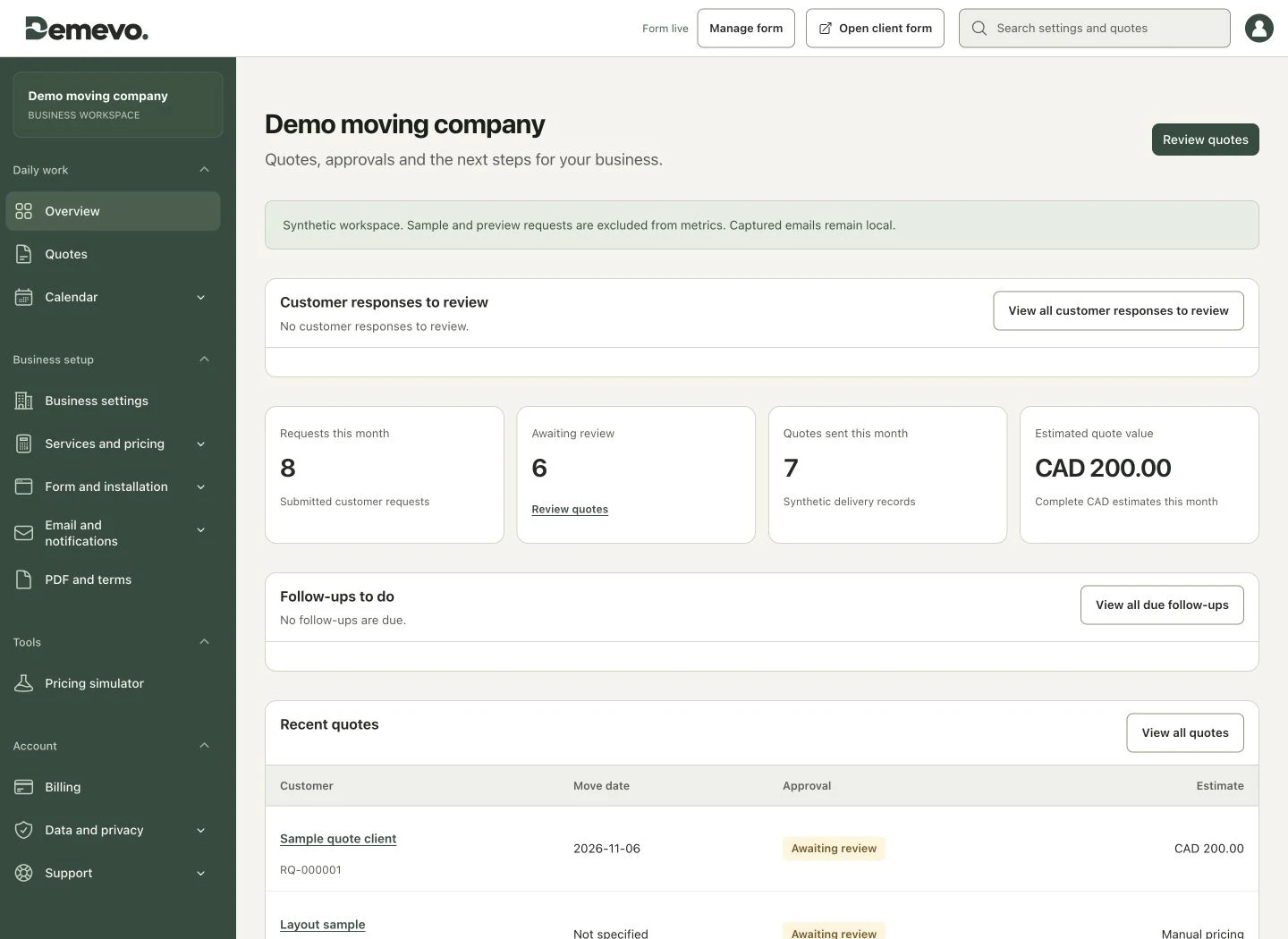
Fictional example
Demevo business dashboard with customer responses, requests and follow-ups, shown with fictional demonstration data.

Everything your next quote needs.

1. Collect the request

Get the details before the back-and-forth starts.

  • Customer forms and documents in French and English
  • Quick room descriptions or detailed inventory
  • Move details, optional photos and notes together
  • Embed on your website or share a link

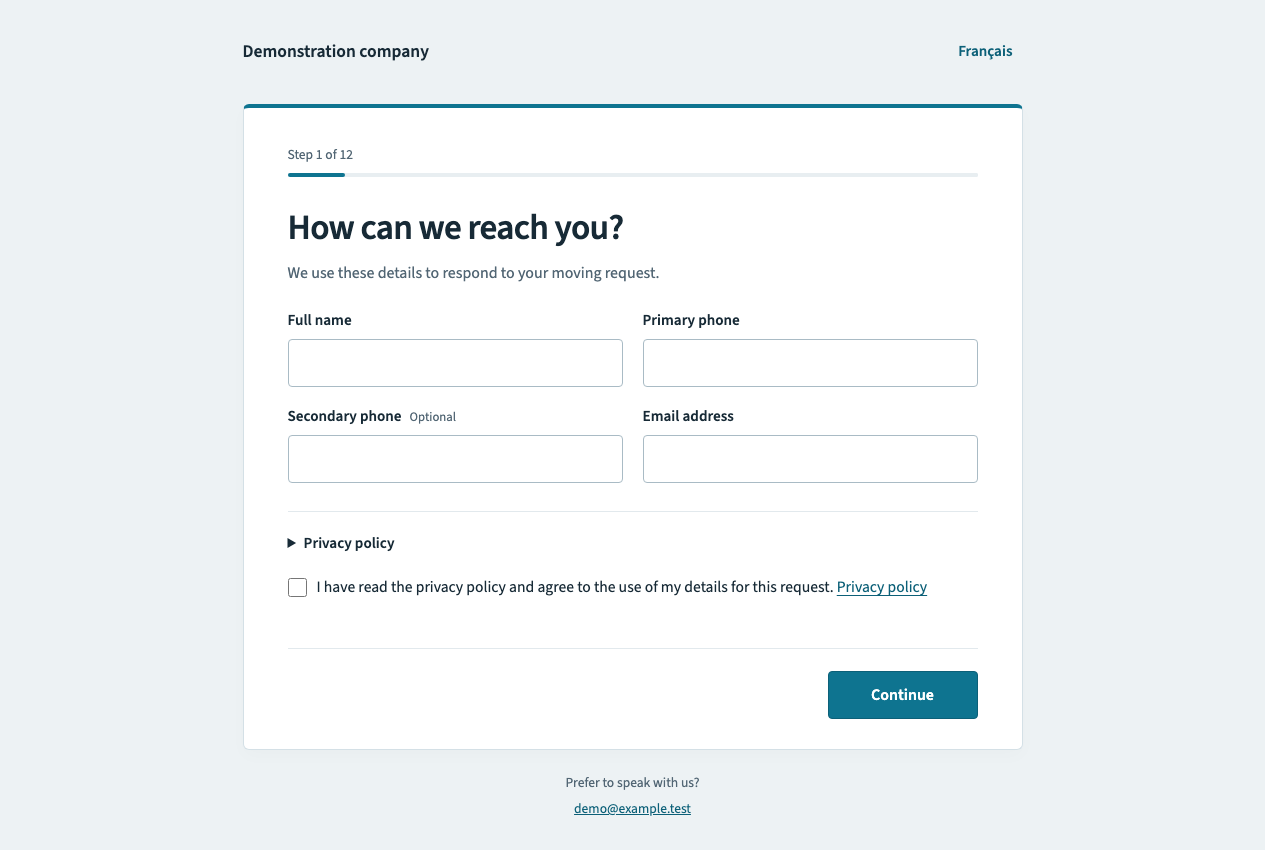
Demevo customer request form in English.
Two movers carry boxes in a bright room.

2. Apply your rates

Let your pricing rules do the repetitive work.

  • Your rates, minimums, and rounding
  • Labour and travel calculations
  • Services, additional charges, and taxes
  • A simulator to test before publishing
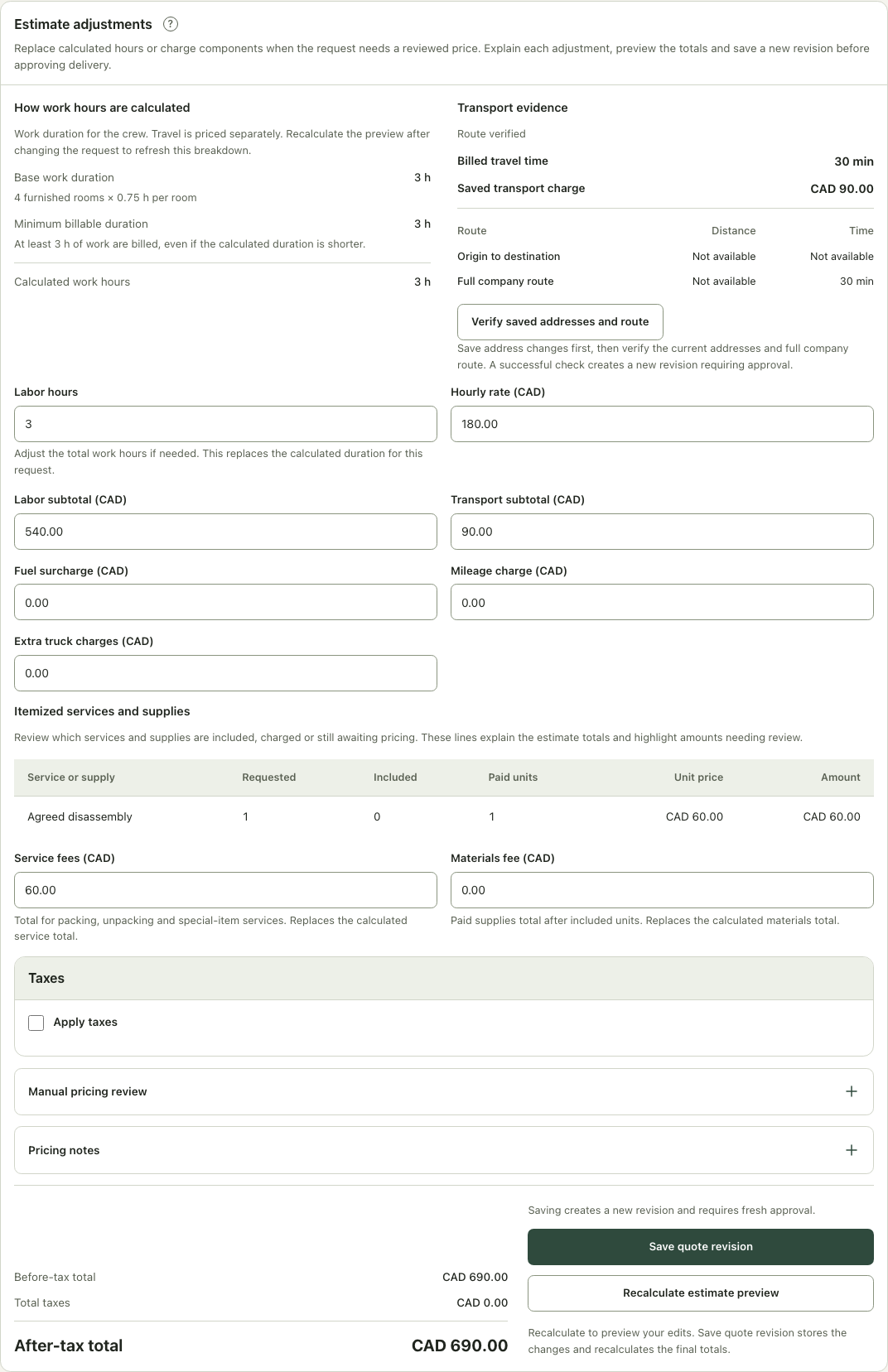
Current Demevo screen showing a quote calculation.
Example quote CAD 690.00 Total before taxes

3. Review the quote

Check the details and assumptions before approving.

  • Inventory and photos to support your assessment
  • Calculation breakdown and pricing adjustments
  • Check missing details before approval
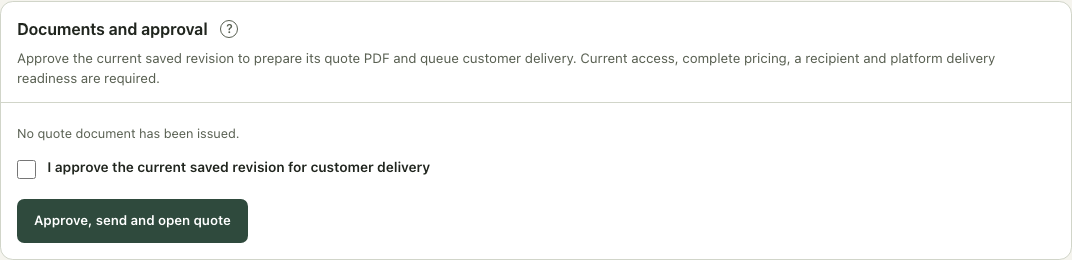
Demevo Documents and approval panel in English showing confirmation before sending a quote.
Review before sending Details, pricing and recipient

4. Send the quote

A professional quote, with you in control.

  • Branded online quotes and PDFs
  • Manual approval or eligible automatic sending, depending on your plan
  • Quote and PDF access by email
  • Preserved versions of sent documents
View the complete estimate
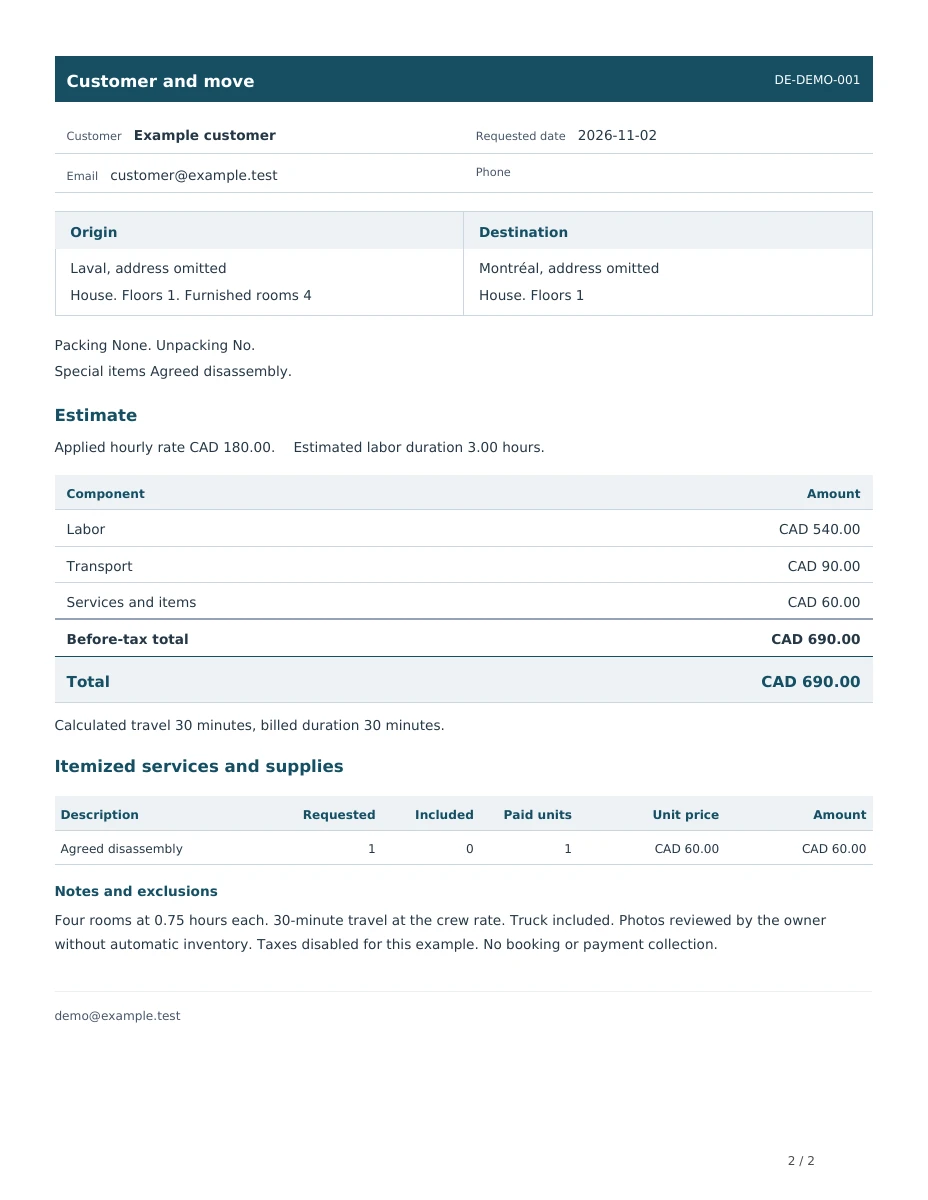
Demevo estimate document in English, using example details.

Keep the next action clear.

The work continues after sending. Keep replies and follow-ups with each request.

See which replies need attention

Review customer confirmations, change requests and declines. Mark each reply as reviewed.

Plan your follow-ups

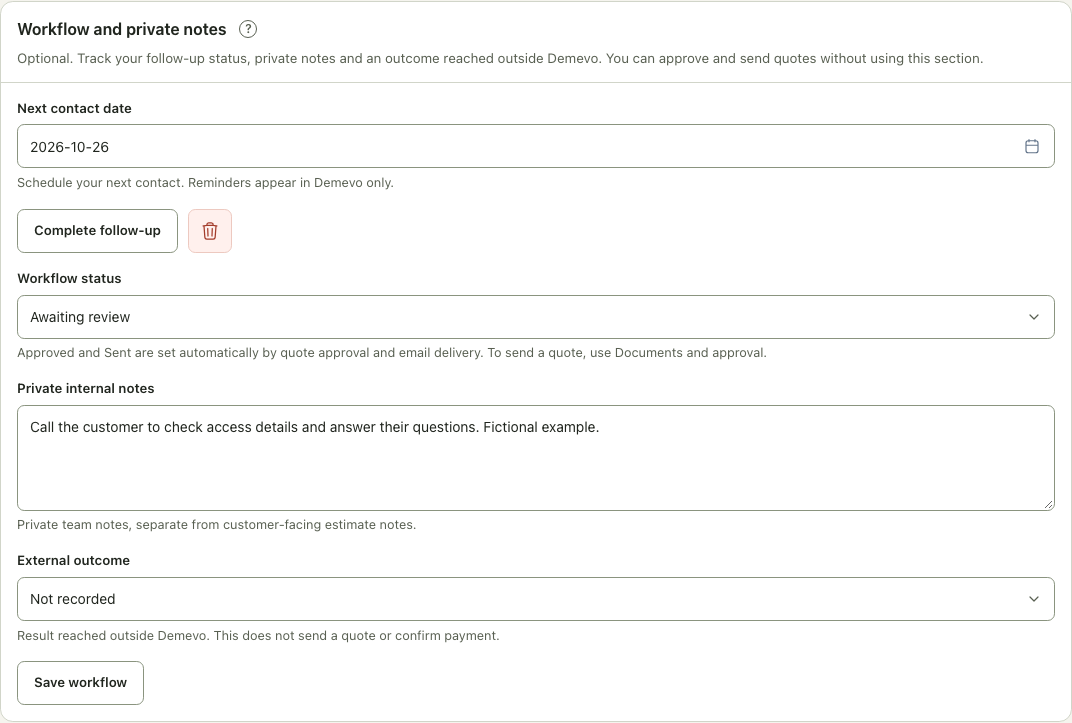
Set a reminder date and keep private notes. Premium and active trials include a daily owner email summary. Choose its time or disable it in Profile. Customers receive no automatic follow-up emails.

Keep the history together

Find customer replies, document versions and email delivery events in the request history.

Fictional request follow-up in Demevo showing a reminder date, status and private notes in English.
Fictional example in the business workspace.

Settings that fit your business.

Your availability

Set lead times, closed dates and exceptions to guide customer date selection. A request does not reserve a move.

Your company branding

Use your logo and color on forms and quotes. Customize your terms and customer-facing text.

Your recorded results

Record won and lost requests and review conversion reports based on the outcomes you enter.

What could less quoting time mean for your business?

Enter your monthly volume and adjust the time you expect to save per quote.

Quotes per month × minutes saved per quote = minutes saved per month.

Enable JavaScript to use the calculator.

This projection depends on your assumptions. It is not measured or guaranteed savings.

A few things to know

Does the customer get an automatic price?

It depends on your settings. Eligible residential requests can receive a quote automatically if your plan allows it. Otherwise, you review and approve before sending. Commercial enquiries need follow-up.

Can I use my own rates?

Yes. Set your rates, calculation rules, services, and taxes. Test them in the simulator before publishing.

Are photos required?

No. Photos are optional and help you review the request. They do not generate an automatic inventory.

Can I collect a moving inventory?

Yes. For residential moves, choose quick room descriptions or detailed items and quantities. Make inventory optional or required. You can also share a private link to collect inventory for an eligible existing request. Inventory stays in the request and exports, rather than the quote PDF.

How do I follow up on customer replies?

Customers can confirm an eligible quote, request changes or decline through their secure access. Review replies in your workspace, add private notes and set a reminder. A confirmation does not automatically reserve a move. Premium and active trials include a daily owner email summary, with timing and disabling in Profile. Customers receive no automatic follow-up emails.

Can I add Demevo to my website?

Yes. Embed your published form in a supported website or add a button linking to it.

Read the WordPress guide

Does Demevo handle bookings and payments?

Demevo collects requests and prepares estimates. Bookings, signatures, payments, and crew dispatch stay in your existing tools.

How much does Demevo cost?

Start with one free calendar month after email verification, with no card required. See Pricing for subscriptions, limits, and setup fees.

View pricing

Make room for the rest of your day.

Set your rates. Try a request. Prepare your first quote.

Create account

One free calendar month after email verification. No card required.